


Recover Deleted Photos App
4.4612.00 Reviews
App Specs
- Version
- 2.3.0
- Updated On
- License
- Free
- Downloads
- 10,000,000+
- Developer
- DOSA Apps
- Categories
- Photography
- Platform
- Android, iOS
Screenshots
 Analysis by AppCompare
Deleted-photo recovery is one of those jobs where timing and expectations matter as much as the app you choose. When I want to retrieve a picture, I would rather start with a straightforward tool than poke around in unfamiliar system folders. Recover Deleted Photos App, made by DOSA Apps, is aimed at that specific problem: finding images that may still be recoverable on an Android phone. It is free to install, rated for Everyone, and its current version is 2.1.1. The app has a 4.3 average from around 175,000 ratings, with over 10 million installs, so it has clearly reached a large audience.
What recovery can—and cannot—mean
A deleted photo is not always immediately erased from every part of a device, but that does not mean an app can reliably bring it back. Recovery depends on whether the image’s data remains available; if new files have taken its place, there may be little or nothing to restore. That is why I treat any scan as a chance to find candidates, not as a promise that every lost picture will return.
If a photo matters, I would stop taking new pictures and avoid downloading large files before trying recovery. This is a practical way to reduce unnecessary activity on the phone while you look for the image. It also helps to check the gallery’s recently deleted area and any cloud photo service you already use first. Those built-in options may be a better route when the deletion is recent, while a recovery app is more relevant when the picture is no longer there.
How I would approach a scan
The useful question is not simply whether the app finds images, but whether you can recognize the photo you need among its results. I would scan as soon as possible, preview likely matches, and restore only the ones I can identify. Similar thumbnails, old duplicates, or low-resolution previews can make a long results screen difficult to judge, so taking a moment to check each candidate is better than restoring everything indiscriminately.
Before starting, I would also make sure the phone has enough room for any recovered files and note where the app saves them. Once a photo is restored, I would open it in the regular gallery and make a second copy somewhere dependable. A recovery result is not the same thing as a backup: if the only copy remains on the same device, a later storage problem could put it at risk again.
Where it fits among the alternatives
For a recent accidental deletion, the phone’s own trash or recently deleted folder is usually the simplest first stop. A cloud photo library can be more useful if it had already synchronized the image, since recovery then depends less on what remains in local storage. This app is a different kind of fallback: it is for checking the device for recoverable images when the familiar routes have not helped.
I would not choose it as a substitute for regular backups, and I would not expect it to restore every old photo. Nor would I begin with a complex desktop recovery workflow for a single everyday picture if a basic scan can answer the question. But if the file is important, the built-in options are empty, and you are comfortable reviewing possible matches, this is a reasonable next step before deciding whether more involved help is worthwhile.
Worth Reading Before You Choose

Flipboard Shows What News Apps Must Do Beyond the Feed

Switching to Android Auto Means Rethinking Your Driving Routine

Google Calendar Makes a Crowded Week Easier to Manage

Ludo King Makes the Most of the Minutes Between Plans

Baby Panda World Brings Quick Play to Modern Phones, but Its Game Library Feels Busy

ESPN’s Live Game View Makes Following Close Games Easier
Who is likely to find it useful
This kind of tool makes the most sense for someone who has deleted a photo by mistake and wants a simple way to look for remaining image data. A realistic example: I clear space before leaving home, then realize I removed the picture of a handwritten parking location or a document I need later. I would stop using the phone for nonessential tasks, check the gallery trash and cloud library, and then try a scan if those checks come up empty.
It is less suitable for someone who needs guaranteed recovery, has already heavily used the phone since deletion, or cannot afford to spend time identifying results. It is also not the right answer when the goal is to protect a collection before anything goes wrong; setting up a dependable backup is more useful in that situation. The app’s free installation lowers the barrier to trying it, but there are in-app purchases ranging from $0.99 to $99.99 per item, so I would pay attention to any purchase screen and decide whether an offered option is actually necessary before proceeding.
Getting Started with Recover Deleted Photos
So, I decided to give this app a whirl after my last photo mishap. Setting it up is a breeze. Just head over to the app store on your Android or iOS device, hit download, and you’re good to go. Once you open it, the user interface is super friendly and intuitive, which is always a plus in my book. No need to be a tech guru to navigate this one.
The Rescue Mission
The main feature, of course, is recovering those pesky deleted photos. The app scans your device for deleted files, and let me tell you, it’s surprisingly thorough. I was able to recover photos I thought were long gone. It’s like finding a hidden treasure chest in your phone!
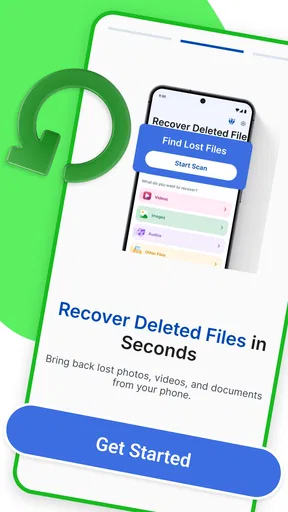
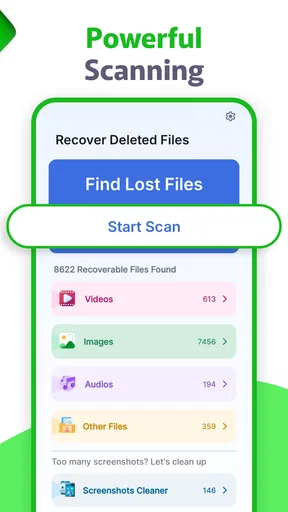
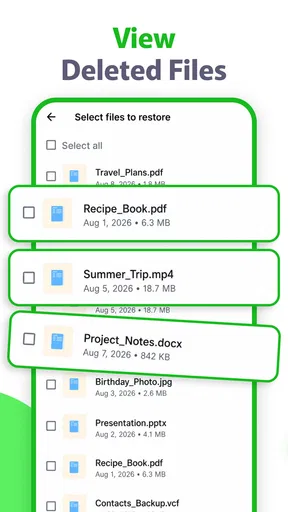
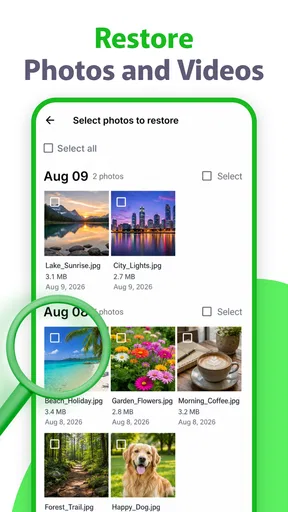
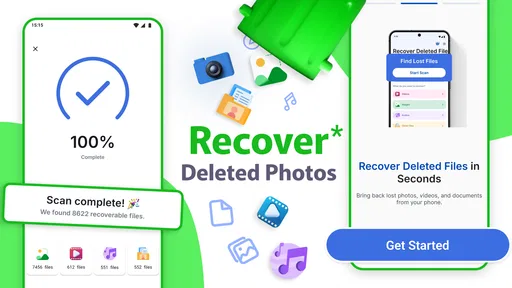
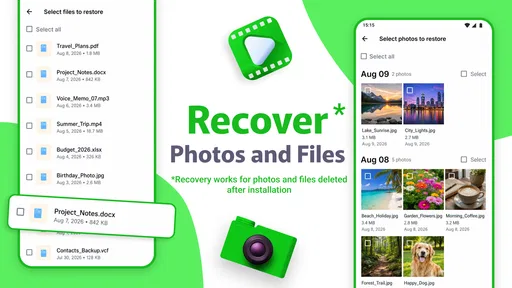
Here’s how it works: you start a scan, and in a few minutes, you get a list of recoverable images. You can preview them before restoring, which is super handy. No more guessing games when it comes to bringing back the right photo.
Behind the Scenes
One thing I found fascinating is how the Recover Deleted Photos App handles the recovery process. It digs into the phone’s storage, retrieving photos that haven’t been overwritten. It's like a digital archaeologist, carefully uncovering lost files. The app doesn’t require root access, which means you’re not risking your phone’s warranty or security, a huge relief for someone like me who isn’t about that risky tech life.
What Else Can It Do?
Aside from recovering photos, the app also offers some neat features. There’s an option to back up your recovered photos to the cloud, ensuring they’re safe and sound even if your phone decides to take a dip in the pool. Plus, it supports a wide range of image formats, so you’re covered no matter what kind of files you’re dealing with.
- Cloud Backup:
- Securely store your recovered photos.
- Format Support:
- Handles various image formats effortlessly.
What I would check before relying on it
Recovery tools are most helpful when you use them with a clear goal. If I were searching for one missing picture among a camera roll full of screenshots and duplicate shots, I would first narrow down what I remember: roughly when I took it, what was in the frame, and whether it was a camera photo or an image saved from another app. That mental checklist makes previews easier to assess and reduces the temptation to restore a pile of files just because they appear in the results.
I would also treat the recovered copy as a fresh file, not assume it has returned to its original album or date-based position. After restoring, I would check the image itself, then move or copy it into the place where I actually keep important pictures. If preserving the original context matters—such as the album it belonged to or its relationship to other shots—take a moment to record that context before cleaning up the results.
There is a trade-off between acting quickly and staying organized. I would avoid heavy phone use while trying to recover a recently deleted image, but I would not rush through the previews so fast that I restore the wrong version. For a set of near-identical photos, compare details such as the crop, faces, or text rather than relying only on a tiny thumbnail. That is a small step, but it can save time later if the results contain several plausible candidates.
Current state and what to watch
As a photography utility, this app has a narrow purpose rather than a broad editing or organizing toolkit. That focus is useful when I want to search for missing pictures without learning a full file-management workflow. It is not a reason to leave backups until later, though: a recovery scan is reactive, while a second copy made before deletion is the more dependable safeguard.
The app was released on June 17, 2019, and version 2.1.1 is the current version. Those details tell me where the product stands today, but they do not by themselves show what has changed between releases or how a particular phone will behave. For existing users, the sensible approach is to check that the installed app is current through their app store and keep important recovered images outside the app as well. I would watch future version notes for clear information about compatibility and recovery behavior, rather than assuming that a version number alone guarantees a better result.
It is designed for Android 5.0 and later, which makes it relevant to a broad range of Android devices. In practice, storage layout and the phone’s handling of deleted files can still affect what a scan finds. A result on one device is not a promise for another, so I would judge the app by whether it can locate the particular pictures I need, not by the number of images it displays.
My Personal Take
After using the app for a week, I have to say, I’m pretty impressed. It’s not just about getting your photos back—it’s about peace of mind. Knowing that I have a safety net for my pictures makes me a little less anxious when I’m managing my phone’s storage. The app has a few ads, but they’re not too intrusive, and honestly, it’s a small price to pay for the functionality you get.
If you’re like me and tend to have a few digital accidents here and there, this app is definitely worth checking out. It’s easy to use, effective, and truly a lifesaver for those moments when you think all is lost. Give it a shot, and you might find yourself breathing a little easier next time you hit delete by mistake.
Pros
- Easy-to-use interface for quick navigation.
- Supports a wide range of image formats.
- Recovers photos from internal and external storage.
- Preview feature before recovery to save time.
- No need for a PC to recover lost files.
Cons
- Free version has limited recovery options.
- Advertisements can be intrusive during use.
- May not recover all corrupted files.
- Requires internet for optimal performance.
- Some features locked behind a paywall.
FAQs for Recover Deleted Photos App
How does the Recover Deleted Photos app work?
The Recover Deleted Photos app works by scanning your device's storage to identify and retrieve photos that have been accidentally deleted. It utilizes advanced algorithms to search through your cache and temporary files, allowing you to recover images that may seem lost forever. The process is straightforward and user-friendly, ensuring you can restore your memories with just a few taps.
Is the Recover Deleted Photos app safe to use?
Yes, the Recover Deleted Photos app is designed with user safety in mind. It ensures that your photos and data remain secure throughout the recovery process. The app does not require unnecessary permissions or access to personal information beyond what is needed to recover your images. Always download the app from a trusted source to maintain security.
What types of photo files can be recovered using this app?
The Recover Deleted Photos app supports a wide range of image file formats, including JPEG, PNG, GIF, and more. This versatility ensures that no matter what format your photos are saved in, the app can attempt to recover them. It's a comprehensive solution for retrieving various types of image files from your device.
Can the app recover photos from a formatted or factory reset device?
Recovering photos from a formatted or factory reset device can be challenging. While the Recover Deleted Photos app is effective at retrieving deleted files, it may have limitations after a complete format or reset, as such actions can permanently erase data. It's always best to back up your data regularly to prevent permanent loss.
Is the Recover Deleted Photos app free to use?
The Recover Deleted Photos app offers a free version with basic recovery features. However, for more advanced capabilities, such as recovering photos from various storage locations or accessing premium support, there may be in-app purchases or a subscription fee. Check the app's details on your app store for more information about pricing.


